📖 Everybody Reads
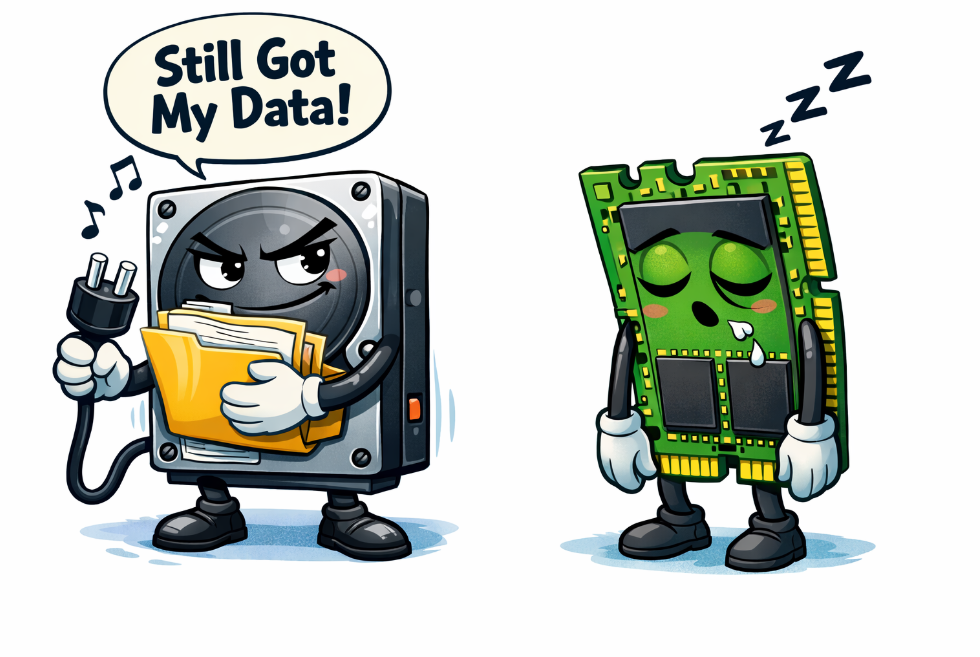
Why do we need secondary storage?
- As we have already learned, primary storage is volatile --- (What does this mean?)
- As a result, we need to permanently store data and programs somewhere non-volatile
- This is so we can access them at a later point
📖 Everybody Reads
Secondary Storage Types
Today we will explore three types of secondary storage
- Magnetic
- Solid State
- Optical
Can you identify each on the image below?

📖 Everybody Reads
Magnetic Storage (Hard Disk Drives)
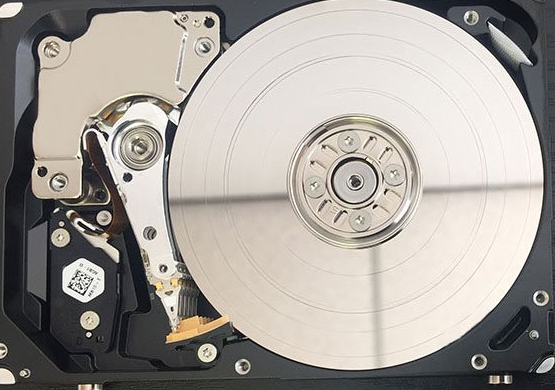
- Magnetic hard disk drives are made from spinning metal platters
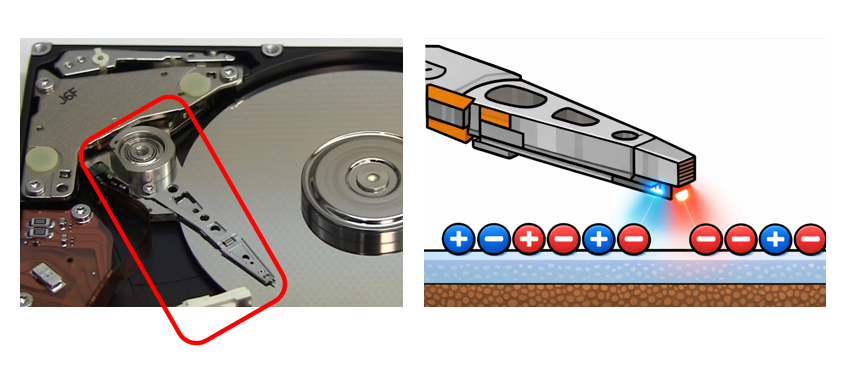
- Each platter is coated in magnetic particles
- A (+) particle is a binary (1)
- A (-) particle is a binary (0)
📖 Everybody Reads
The Read/Write Head
A special component called the read/write head passes over the surface of each platter.
As it does, it can carry out either of the actions below:
- Read: where it detects the pole of each particle and sends either a (1) or (0) back to the computer
- Write: where it changes the pole of the particle, to change the data on the disk
📖 Everybody Reads
Optical Storage
- Optical storage is made from plastic disks that contain a thin sheet of metal foil
- The metal foil is perforated with tiny metal holes called pits

📖 Everybody Reads
Optical Read Head
A special component called the optical read head passes over the surface of an optical disk.
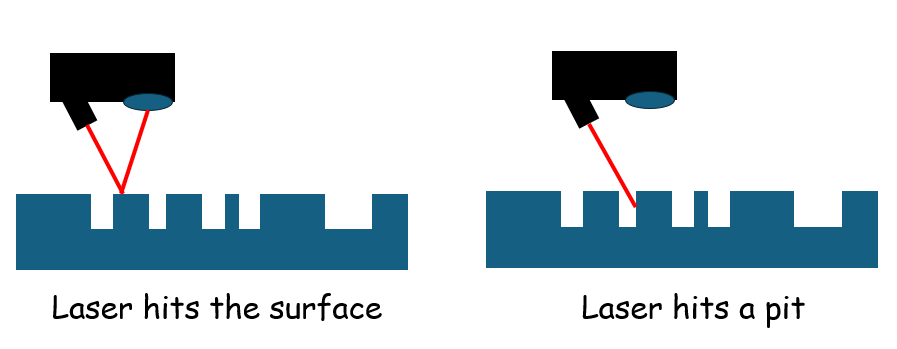
As it passes over it shines a laser at the surface of the disk.
When it does this, one of two things can happen:
- The laser bounces off the surface of the disk
- This then gets received by a lens
- A binary (1) is recorded by the computer
- The laser lands in one of the pits
- The laser doesn't get received by the lens
- A binary (0) is recorded by the computer
📖 Everybody Reads
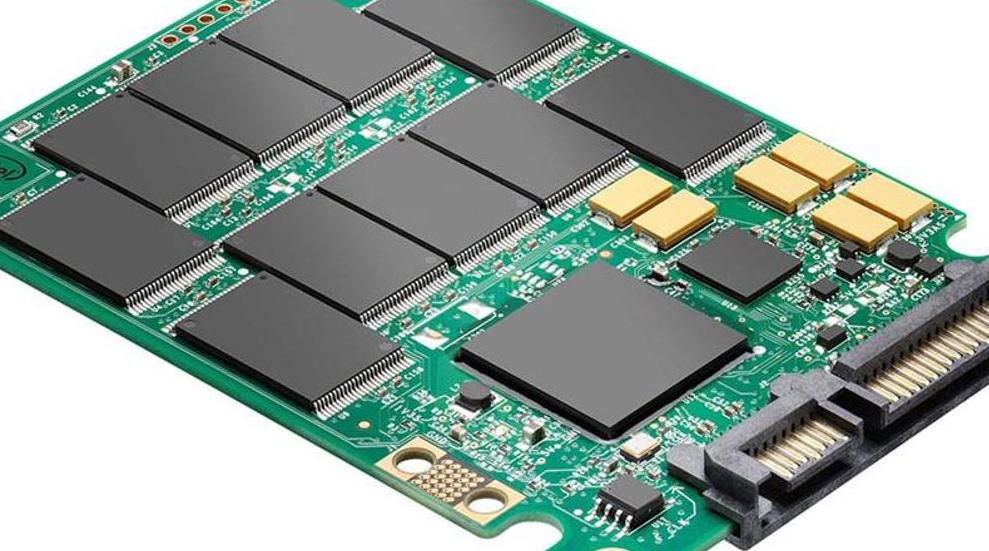
Solid State Drives
Solid state drives use the same "Flash" technology as SD cards and USB thumb drives
Flash technology allows for data to be stored on microchips; even without a steady power supply!
📖 Everybody Reads
Electron Pools
The chips are full of billions of microscopic electron pools
Each electron pool can be either filled with electrons (through a special charging process) or be empty.
To read the data, electronic current is passed through each of these pools:
- If a pool is full of electrons the current is repelled and a binary (0) is read by the computer
- If a pool is empty, the current enters and takes longer to leave, causing the computer to read a binary (1)
